


- Kawa
- Python SDK
- Release
- Kawa
Makimoto 0.2.0: Simplifying the Developer Journey
New portal, APIs and SDK updates
- By
- Makimoto Team
- Published
- Reading time
- 3 min read
- Series
- Part 4 of 4
New to Makimoto? Makimoto is an open-source conversational AI initiative built around modular components for speech-driven workflows. Kawa is its speech-to-text layer, and the Python SDK provides a direct way to build with its services.
The Friction Was Not One API Call
A developer can understand an API quickly and still lose time setting up the surrounding environment.
In the previous workflow, access depended on short-lived JWT credentials. A key could work during initial setup but would need regeneration soon after. In addition, documentation, examples, service links and job history also lived across separate surfaces.
No individual step was impossible. The accumulated friction made the path from account creation to a reliable working integration longer than it needed to be.
Makimoto 0.2.0 focuses on correcting that path.
One Portal for the Developer Journey
The redesigned developer portal groups the core workflow into four practical areas:
- Get Started: Quick-start examples for cURL, Python and the Python SDK.

- Playground: Browser-based access to transcription, summarisation and tagging workflows.
- Logs: Paginated job history with job types, status, identifiers, duration and results.

- API Keys: Key creation, usage information and revocation from the dashboard.
API Keys That Stay Valid Until Revoked
Makimoto is moving away from JWT authentication in favour of API keys.
An API key created in the portal has no set expiry. It remains valid until the user revokes it. This removes the need to repeatedly regenerate credentials during development or for a long-running integration.
The full key is displayed only when it is created. After the creation window is closed, the secret is hidden and cannot be viewed again. Developers should copy it immediately and store it in an appropriate secret-management system. If the value is lost, the safe path is to revoke the key and create a new one.
More Than Transcription
Transcription remains part of the Makimoto workflow, but 0.2.0 expands the services exposed to developers.
Summarisation and tagging are now available as dedicated endpoints. Jobs can be retrieved and viewed through pagination for ease, and new job types make the different workflows visible through the same API and portal model.
This matters because the output of a speech pipeline is rarely the final product. Developers often need to move from audio to transcript, which is then further structured or condensed.
Dedicated endpoints make those stages explicit.
Documentation and SDK Move With the API
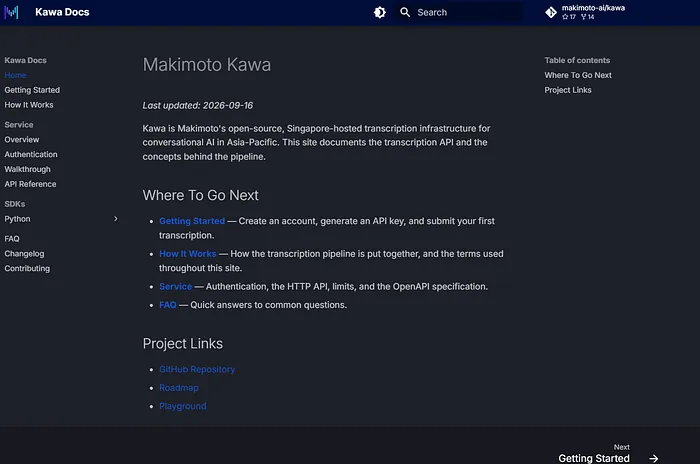
The documentation now uses the docs.makimoto.ai domain and covers these new feature endpoints. The OpenAPI specification is being updated to include them, alongside clearer explanations of service behaviour and limitations.
The Python SDK adds built-in methods for summarisation and tagging, pagination support, and authentication changes for API keys.
These updates are part of the same release story. A portal redesign without current documentation would only move the friction.
An API change without SDK support would leave developers to bridge the gap themselves.
What 0.2.0 Represents
Version 0.2.0 is not a claim that the developer experience is finished.
It is a clearer foundation: one portal for onboarding and testing, persistent credentials under the developer’s control, visible job history, dedicated services, and supporting documentation and SDK updates.
The objective is simple: shorten the distance between discovering Makimoto and building something useful with it.
Explore and Build with Makimoto
- Join the Makimoto Discord community
- Explore Kawa on GitHub
- Explore the Makimoto Python SDK on GitHub